See the layout. Choose your place.
A geometry-based pane map gives you a spatial view of your workspace. Browse sessions, numbered windows, and their panes without reconstructing everything from a terminal prompt.
tmux, made for touch
Your editor, server, and tests. Find the right tmux pane with a tap.
In development · iPhone & iPad · Requires a reachable SSH host
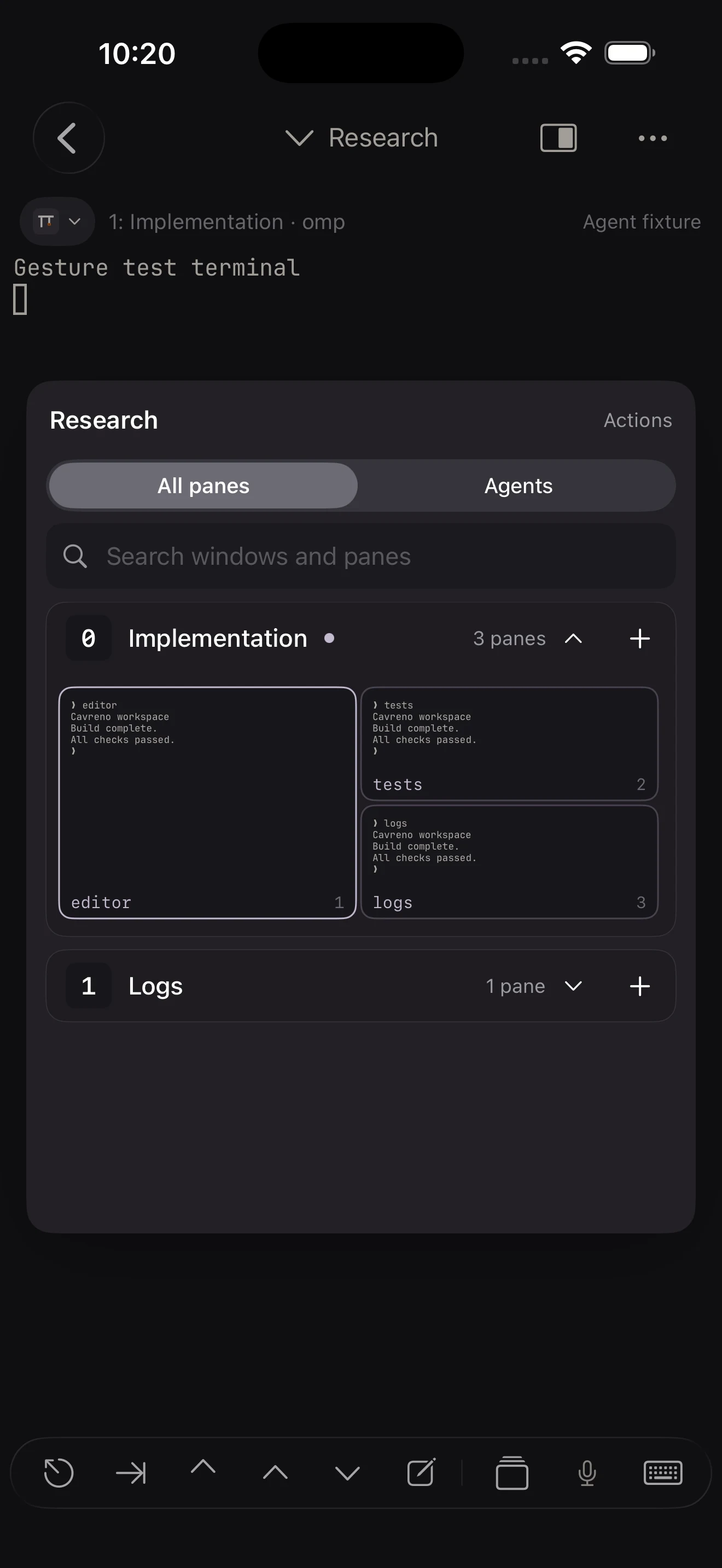
Actual Cavreno app · sample workspace
Browse sessions, windows, and panes visually. Spend your next tap on the terminal you need.
A geometry-based pane map gives you a spatial view of your workspace. Browse sessions, numbered windows, and their panes without reconstructing everything from a terminal prompt.
Pinned and recent panes bring your regular destinations closer. Search by session or pane context when the workspace grows.
Sticky Ctrl, precision arrows, configurable shortcuts, and a quick wheel help with the terminal actions a phone keyboard leaves out. A hardware keyboard works, too.
How it works
Keep your sessions running in tmux on a reachable SSH host.
Browse the hierarchy or use the visual map to find the right terminal.
Read output, search scrollback, and send commands with controls designed for touch.
Switch apps or put the phone away. The remote tmux processes keep running as long as your host and tmux server remain running. Cavreno reconnects in the foreground without replaying old input.
Cavreno uses SSH. It does not offer Mosh-style connection roaming or guarantee an uninterrupted socket while iOS suspends the app.
Questions
Cavreno navigates sessions, windows, and panes through its native interface. You can set a custom tmux executable path or socket path for a host when needed.
Yes, you can open an ordinary SSH shell. The session hierarchy and pane map require tmux on the host.
Opening a pane can temporarily fit its tmux window to your device. Cavreno conditionally restores the original layout and sizing policy when leaving; an abrupt app kill or unreachable host can prevent restoration.
Yes. Cavreno supports hardware-keyboard terminal input as well as its touch controls.

A closer look at the app, its workflows, and what you need to use it.
Preview CavrenoIn development · iPhone & iPad