 cavreno
A closer look at Cavreno
Your next check-in.
From your phone.
See the app screens and the setup behind them. Bring your own host, keep your tools there, and reach your workspace from iPhone or iPad.
Explore the app screensInside Cavreno
Your workspace.
Made for touch.
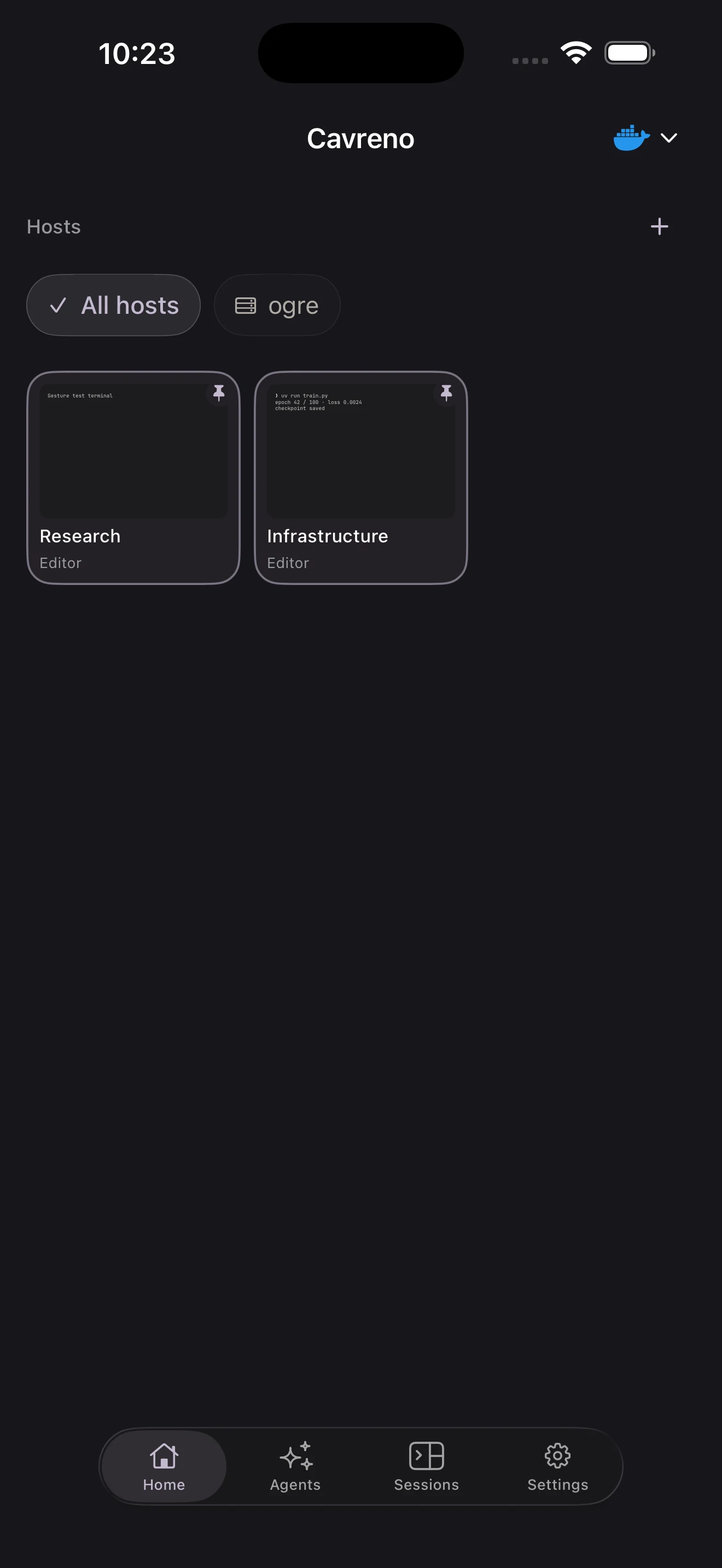
Your place, remembered.
Pinned and recent workspaces, ready to reopen.
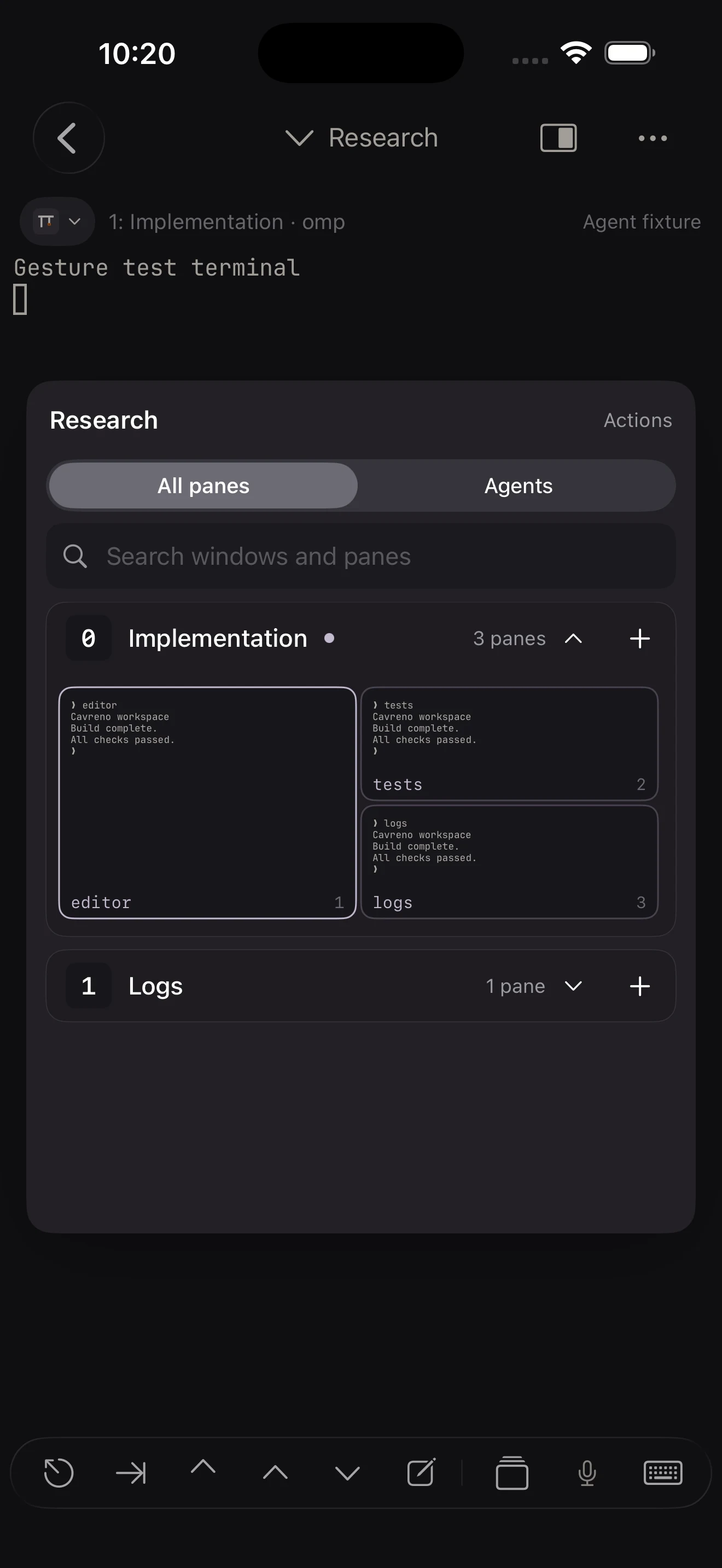
A map your thumb understands.
See your editor, tests, and logs in one map. Tap the pane you need.
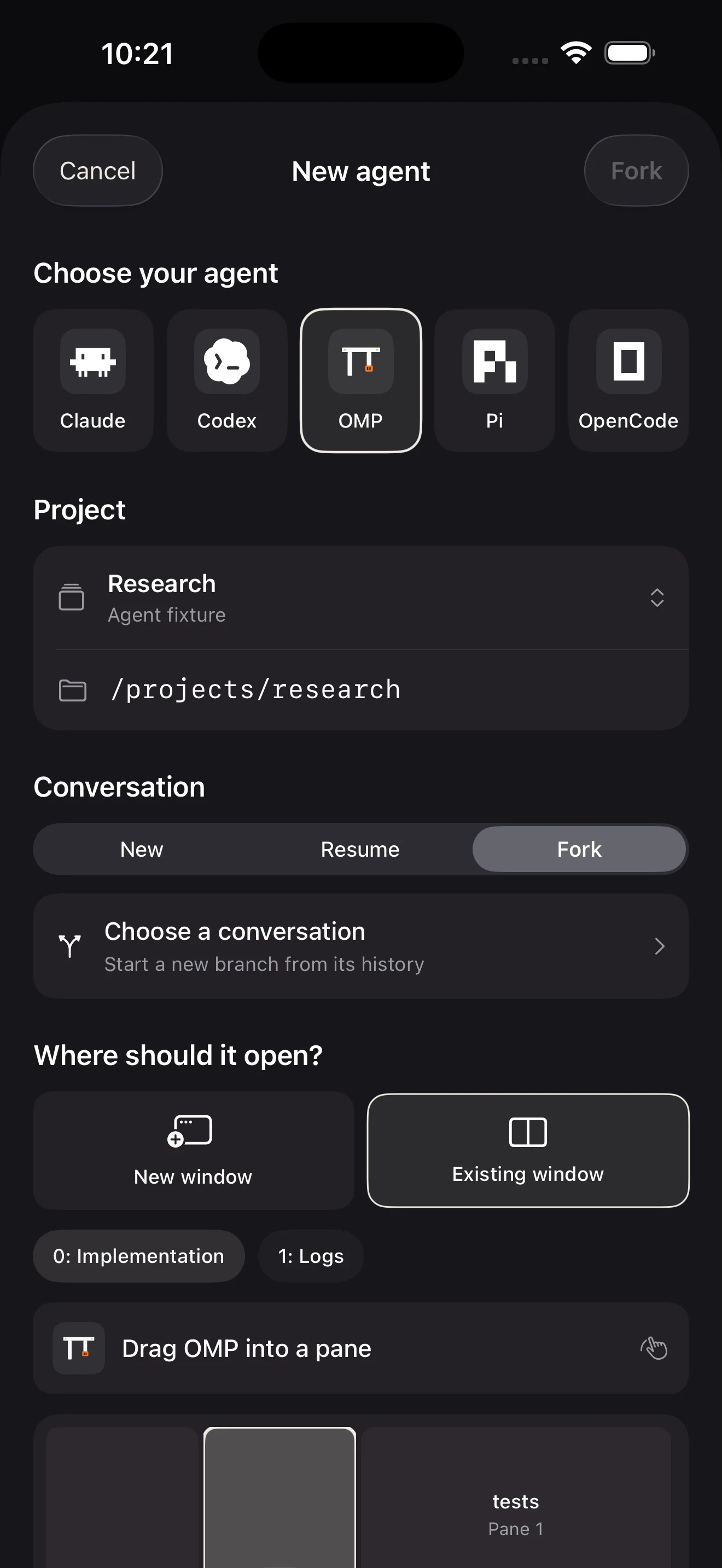
The right agent. The right context.
Choose your agent and project. Start, resume, or fork a conversation.
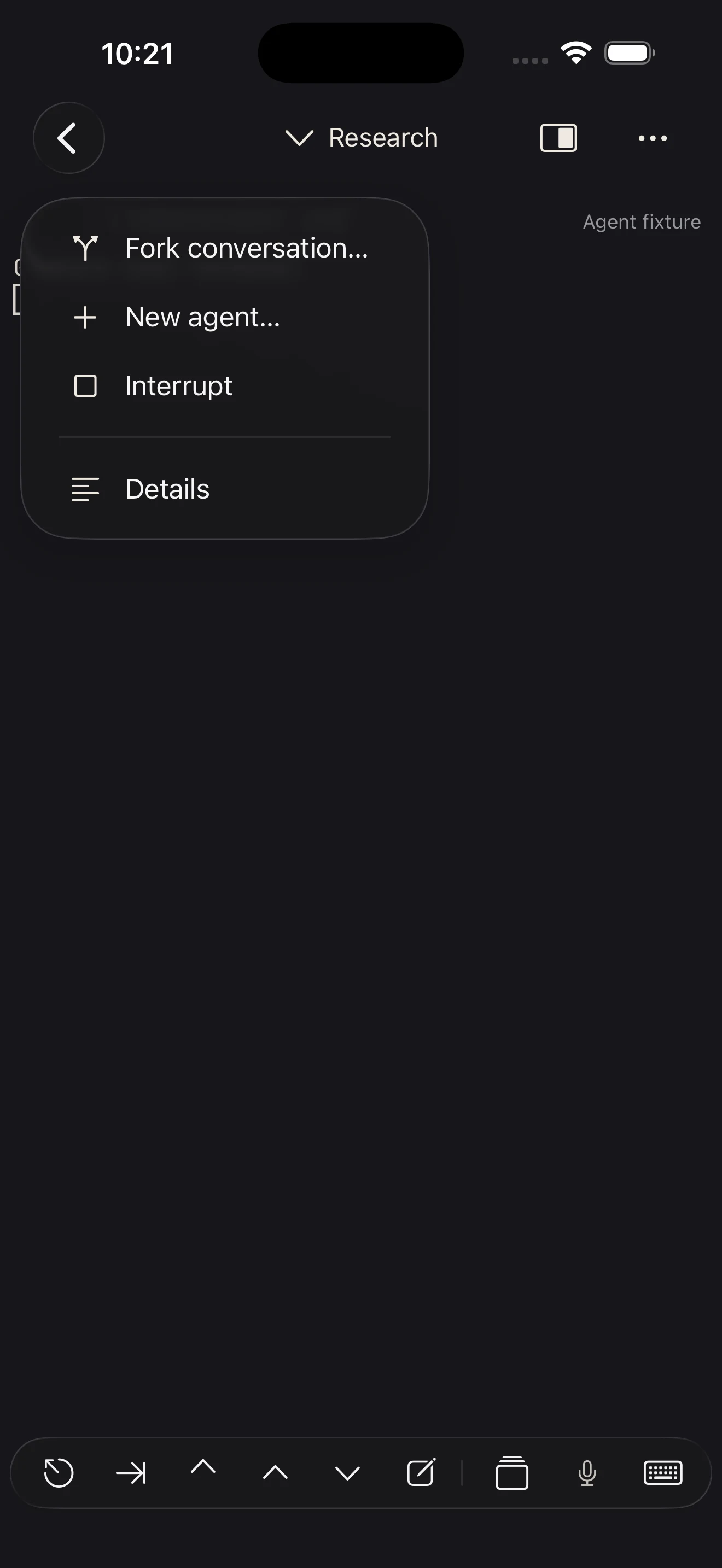
Change course from where you are.
Send Ctrl+C from the agent menu. Check the response, then redirect.
App screens · sample workspaces. Provider icons identify tools, not endorsements.
Bring the setup you already use
Your tools stay on your host.
Cavreno comes with you.
For developers with a remote workspace, or a computer they can leave running. iPhone and iPad, with iOS 17 or later.
- 01
Keep a host running
Use a Mac, Linux machine, or server with SSH enabled and a network connection your phone can reach.
- 02
Bring your workspace
Run your tools on that host. Use tmux for persistent sessions and Cavreno’s visual pane navigation.
- 03
Connect from your phone
Add the host, verify its SSH key, and open your existing session. Your coding-agent account stays separate.
Away from your local network, configure access to your host separately, for example with a private VPN. The host must stay awake; the phone needs a connection when you interact.